Training Collections
Library Memberships
On-demand course library with video lectures, expert case reviews, and more
Fellowship Certificate™ Programs
Practice-focused training programs designed to help you gain experience in a specific subspecialty area.
Ultimate Learning Pass
Unlock access to our full Course Library and all self-paced Fellowships.
Continuing Medical Education (State CME)
Complete all of your state CME requirements in one convenient place.
Noon Conference (Free)
Get access to free live lectures, every week, from top radiologists.
Case of the Week (Free)
Get a free weekly case delivered right to your inbox.
Case Crunch: Rapid Case Review (Free)
Register for free live board reviews.
Dr. Resnick's MSK Conference
Learn directly from the MSK Master himself.
Lower Extremities MRI Conference
Musculoskeletal Imaging
Emergency Imaging
Emergency GI & Abdominal Radiology FellowshipNEW!
PET Imaging
Pediatric Imaging
For Training Programs
Supplement your training program with case-based learning for residents, registrars, fellows, and more.
For Private Practices
Upskill in high growth, advanced imaging areas.
Compliance
NewTrack, fulfill, and report on all your radiologists' credentialing and licensing requirements.
Emergency Call Prep
Prepare trainees to be on call for the emergency department with this specialized training series.
Training Collections
Library Memberships
On-demand course library with video lectures, expert case reviews, and more
Fellowship Certificate™ Programs
Practice-focused training programs designed to help you gain experience in a specific subspecialty area.
Ultimate Learning Pass
Unlock access to our full Course Library and all self-paced Fellowships.
Continuing Medical Education (State CME)
Complete all of your state CME requirements in one convenient place.
Noon Conference (Free)
Get access to free live lectures, every week, from top radiologists.
Case of the Week (Free)
Get a free weekly case delivered right to your inbox.
Case Crunch: Rapid Case Review (Free)
Register for free live board reviews.
Dr. Resnick's MSK Conference
Learn directly from the MSK Master himself.
Lower Extremities MRI Conference
Musculoskeletal Imaging
Emergency Imaging
Emergency GI & Abdominal Radiology FellowshipNEW!
PET Imaging
Pediatric Imaging
For Training Programs
Supplement your training program with case-based learning for residents, registrars, fellows, and more.
For Private Practices
Upskill in high growth, advanced imaging areas.
Compliance
NewTrack, fulfill, and report on all your radiologists' credentialing and licensing requirements.
Emergency Call Prep
Prepare trainees to be on call for the emergency department with this specialized training series.
Lesson
Introduction
5 topics, 23 min. of video
Lesson
CEM in Clinical Practice
3 topics, 14 min. of video
Lesson
Future Directions
2 topics, 7 min. of video
Lesson
Noteworthy Mentions
2 topics, 2 min. of video
Lesson
Case Review: Normal
5 topics, 21 min. of video
Introduction to CEM Case Review
4 m.How to Use the Case Viewer to Best Evaluate the Images in this Course
2 m.Minimal Background Parenchymal Enhancement and Artifacts
5 m.Moderate/Marked Background Parenchymal Enhancement
9 m.Dense Breasts, Mild Background Parenchymal Enhancement, Axillary Enhancement Artifact
3 m.Lesson
Case Review: Benign
4 topics, 15 min. of video
Lesson
Case Review: Malignant
13 topics, 57 min. of video
Rim Enhancement of Hematoma Obscuring Enhancing Cancer
6 m.High Conspicuity Enhancing Mass of Invasive Lobular Carcinoma
6 m.Low Conspicuity, Delayed Enhancement of Mucinous Carcinoma
6 m.Rim Enhancing Invasive Ductal Carcinoma in Patient With Implants
4 m.Low Conspicuity Invasive Ductal Carcinoma in Extremely Dense Breasts
4 m.Multiple Masses and Non Mass Enhancement of Invasive Lobular Carcinoma
6 m.Focal Non-mass Enhancement of Invasive Ductal Carcinoma
6 m.Linear Non-mass Enhancement of Ductal Carcinoma In Situ
3 m.Non-mass Enhancement of Ductal Carcinoma In Situ; Using CEM For Biopsy Planning
7 m.Calcified Ductal Carcinoma In Situ With No Enhancement
3 m.Invasive Ductal Carcinoma as Linear Non-mass Enhancement
4 m.Limitations of Background Parenchymal Enhancement in Cancer Staging
4 m.True Positive CEM in Post-Surgical Breast
5 m.Lesson
Summary
1 topic, 1 min. of video
0:01
So to get oriented, all of our images are down here,
0:05
as you would expect, those that have a number
0:08
or a tomo sequence with multiple slices.
0:10
These here are a still or composite image.
0:15
So first, just to get your images hung correctly.
0:17
If you like the side by side, you can click this two series
0:23
and hang things according to your preference.
0:25
So here's a bilateral CC view,
0:29
and then to get rid of these images, just click this icon.
0:33
From here, we have a lot of options in our home tab.
0:36
So we can window,
0:41
we can invert, we can get rid
0:45
of our identifiers,
0:49
we can put arrows down, we can measure things,
0:55
We Can erase,
0:58
and we can restore the images back to their original form.
1:01
With this button. The markup tab has more detailed
1:06
graphical annotation tools.
1:10
Occasionally, some
1:12
of the cases will have a flipped or inverted image.
1:15
Just go up here to flip or rotate
1:18
and click the rotate button
1:20
or the invert button accordingly.
1:25
Last, I'm gonna show you how to do a tomo.
1:29
So if you wanted to pull up a tomo here
1:31
and scroll through it, just make sure that you go back
1:35
to the home and have the pointer selected,
1:39
which will allow you to scroll through the image.
1:43
Lastly, a few cases will ask you
1:47
where the finding is best visualized and on what frame.
1:51
In order to see that information,
1:53
just make sure you have this identifier,
1:55
demographic toggled, and you can see the frame here.
2:00
So here we are on frame 18.
2:03
Okay, well, that's everything you
2:05
need to know to get started.
2:06
Don't hesitate to send us an email if you have additional
2:09
questions and enjoy the course.
How to Use the Case Viewer to Best Evaluate the Images in this Course
HIDEInteractive Transcript
0:01
So to get oriented, all of our images are down here,
0:05
as you would expect, those that have a number
0:08
or a tomo sequence with multiple slices.
0:10
These here are a still or composite image.
0:15
So first, just to get your images hung correctly.
0:17
If you like the side by side, you can click this two series
0:23
and hang things according to your preference.
0:25
So here's a bilateral CC view,
0:29
and then to get rid of these images, just click this icon.
0:33
From here, we have a lot of options in our home tab.
0:36
So we can window,
0:41
we can invert, we can get rid
0:45
of our identifiers,
0:49
we can put arrows down, we can measure things,
0:55
We Can erase,
0:58
and we can restore the images back to their original form.
1:01
With this button. The markup tab has more detailed
1:06
graphical annotation tools.
1:10
Occasionally, some
1:12
of the cases will have a flipped or inverted image.
1:15
Just go up here to flip or rotate
1:18
and click the rotate button
1:20
or the invert button accordingly.
1:25
Last, I'm gonna show you how to do a tomo.
1:29
So if you wanted to pull up a tomo here
1:31
and scroll through it, just make sure that you go back
1:35
to the home and have the pointer selected,
1:39
which will allow you to scroll through the image.
1:43
Lastly, a few cases will ask you
1:47
where the finding is best visualized and on what frame.
1:51
In order to see that information,
1:53
just make sure you have this identifier,
1:55
demographic toggled, and you can see the frame here.
2:00
So here we are on frame 18.
2:03
Okay, well, that's everything you
2:05
need to know to get started.
2:06
Don't hesitate to send us an email if you have additional
2:09
questions and enjoy the course.
Report
Faculty

Jordana Phillips, MD
Division Chief of Breast Imaging, Boston Medical Center
Boston Medical Center
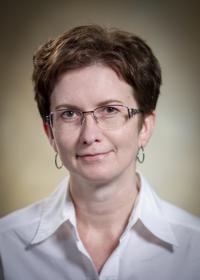
Olena Weaver, MD
Associate Professor
Department of Breast Imaging, The University of Texas MD Anderson Cancer Center
Tags
Oncologic Imaging
Neoplastic
Mammography
Diagnosis & Staging
Breast
© 2026 Medality. All Rights Reserved.
