Training Collections
Library Memberships
On-demand course library with video lectures, expert case reviews, and more
Fellowship Certificate™ Programs
Practice-focused training programs designed to help you gain experience in a specific subspecialty area.
Ultimate Learning Pass
Unlock access to our full Course Library and all self-paced Fellowships.
Continuing Medical Education (State CME)
Complete all of your state CME requirements in one convenient place.
Noon Conference (Free)
Get access to free live lectures, every week, from top radiologists.
Case of the Week (Free)
Get a free weekly case delivered right to your inbox.
Case Crunch: Rapid Case Review (Free)
Register for free live board reviews.
Dr. Resnick's MSK Conference
Learn directly from the MSK Master himself.
Lower Extremities MRI Conference
Musculoskeletal Imaging
PET Imaging
Pediatric Imaging
For Training Programs
Supplement your training program with case-based learning for residents, registrars, fellows, and more.
For Private Practices
Upskill in high growth, advanced imaging areas.
Compliance
NewTrack, fulfill, and report on all your radiologists' credentialing and licensing requirements.
Emergency Call Prep
Prepare trainees to be on call for the emergency department with this specialized training series.
Training Collections
Library Memberships
On-demand course library with video lectures, expert case reviews, and more
Fellowship Certificate™ Programs
Practice-focused training programs designed to help you gain experience in a specific subspecialty area.
Ultimate Learning Pass
Unlock access to our full Course Library and all self-paced Fellowships.
Continuing Medical Education (State CME)
Complete all of your state CME requirements in one convenient place.
Noon Conference (Free)
Get access to free live lectures, every week, from top radiologists.
Case of the Week (Free)
Get a free weekly case delivered right to your inbox.
Case Crunch: Rapid Case Review (Free)
Register for free live board reviews.
Dr. Resnick's MSK Conference
Learn directly from the MSK Master himself.
Lower Extremities MRI Conference
Musculoskeletal Imaging
PET Imaging
Pediatric Imaging
For Training Programs
Supplement your training program with case-based learning for residents, registrars, fellows, and more.
For Private Practices
Upskill in high growth, advanced imaging areas.
Compliance
NewTrack, fulfill, and report on all your radiologists' credentialing and licensing requirements.
Emergency Call Prep
Prepare trainees to be on call for the emergency department with this specialized training series.
0 / 5 Cases
Worklist 1
PET Image Viewing Tips for Ambra
Ambra SUV Measurement Demonstration
Ambra PET MIP Demonstration
Ambra Link Fused PET CT with CT Scroll Demonstration
Ambra MPR on Fused PET CT Demonstration
1-1
1-2
1-3
1-4
1-5
0 / 5 Cases
Worklist 2
2-1
2-2
2-3
2-4
2-5
0 / 5 Cases
Worklist 3
3-1
3-2
3-3
3-4
3-5
0 / 5 Cases
Worklist 4
4-1
4-2
4-3
4-4
4-5
0 / 5 Cases
Worklist 5
5-1
5-2
5-3
5-4
5-5
0 / 1 Unit
Post-Course Activites
0:02
Hi fellows.
0:03
This is a quick video to show you tips for viewing and reporting of your pet
0:07
imaging cases. Let's open up this first study.
0:13
First, we'll need to add two important tools to your toolbar toolbar.
0:17
If you don't already have them, go to settings toolbar.
0:22
You'll look here along the side for volume,
0:26
which we'll click and drag to our toolbar as well as ellipse.
0:32
Click save and then close,
0:36
and your case should automatically reopen with those tool with those tools at
0:40
the top after they download.
0:43
You can see here that we have attenuated corrected image. We have C,
0:47
not in contrast cts, and we have perfused, axial coronal,
0:51
and sagittal series.
0:53
You will not be able to calculate the max s u v on these prefuse series,
0:56
and you'll have to create your own.
0:59
After they've downloaded click and drag the CT over.
1:02
You'll get this notification that it is fusion capable.
1:06
So then you're gonna be able to click and drag your attenuated corrected images
1:09
on top. You can adjust your overlay as much or as little as you want to,
1:15
and then you'll be able to scroll through them as a fuse series.
1:20
This first tip is how to calculate a max s u v.
1:23
So let's say we want to calculate the max s u v of this pulmonary nodule here.
1:28
We'll click ellipse.
1:30
We will click and drag and form our r O I over that nodule,
1:35
and we get a max s u v of 3.45 for this nodule,
1:38
which you'll include in your report.
1:42
The next trick I'm gonna show you is how,
1:44
how to make A three D MIP rotating mip.
1:47
You'll do this by using your attenuated corrected images or non attenuated
1:50
corrected images.
1:52
We'll click volume and it'll automatically create that volume here.
1:57
Click MIP to MIP it, and then you can change the um,
2:02
invert. You can invert the images by going to pallet invert,
2:06
and then to rotate them,
2:07
just click rotate and you'll be able to rotate your images as much as you want
2:11
to. Rotation, I'm sorry.
2:14
And here you can see that you have your three D rotating nips here.
2:19
Hope this was helpful.
PET Image Viewing Tips for Ambra
HIDEInteractive Transcript
0:02
Hi fellows.
0:03
This is a quick video to show you tips for viewing and reporting of your pet
0:07
imaging cases. Let's open up this first study.
0:13
First, we'll need to add two important tools to your toolbar toolbar.
0:17
If you don't already have them, go to settings toolbar.
0:22
You'll look here along the side for volume,
0:26
which we'll click and drag to our toolbar as well as ellipse.
0:32
Click save and then close,
0:36
and your case should automatically reopen with those tool with those tools at
0:40
the top after they download.
0:43
You can see here that we have attenuated corrected image. We have C,
0:47
not in contrast cts, and we have perfused, axial coronal,
0:51
and sagittal series.
0:53
You will not be able to calculate the max s u v on these prefuse series,
0:56
and you'll have to create your own.
0:59
After they've downloaded click and drag the CT over.
1:02
You'll get this notification that it is fusion capable.
1:06
So then you're gonna be able to click and drag your attenuated corrected images
1:09
on top. You can adjust your overlay as much or as little as you want to,
1:15
and then you'll be able to scroll through them as a fuse series.
1:20
This first tip is how to calculate a max s u v.
1:23
So let's say we want to calculate the max s u v of this pulmonary nodule here.
1:28
We'll click ellipse.
1:30
We will click and drag and form our r O I over that nodule,
1:35
and we get a max s u v of 3.45 for this nodule,
1:38
which you'll include in your report.
1:42
The next trick I'm gonna show you is how,
1:44
how to make A three D MIP rotating mip.
1:47
You'll do this by using your attenuated corrected images or non attenuated
1:50
corrected images.
1:52
We'll click volume and it'll automatically create that volume here.
1:57
Click MIP to MIP it, and then you can change the um,
2:02
invert. You can invert the images by going to pallet invert,
2:06
and then to rotate them,
2:07
just click rotate and you'll be able to rotate your images as much as you want
2:11
to. Rotation, I'm sorry.
2:14
And here you can see that you have your three D rotating nips here.
2:19
Hope this was helpful.
Report
Faculty

Riham El Khouli, MD
Associate Professor of Radiology, Chief, Division of Nuclear Medicine/Molecular Imaging & Radiotheranostics
University of Kentucky
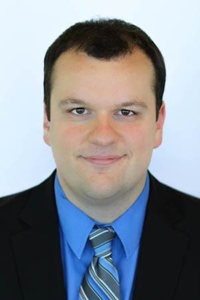
Michael F. Shriver, MD
Director of Nuclear Medicine
Proscan-NCH Imaging
Tags
PET
Nuclear Medicine
CT
© 2026 Medality. All Rights Reserved.
